

Last update:
Delegate roles to AIC administrators
Aug 21, 2026
A super admin can assign specific administrative roles to team members to support organizational management, while retaining overall control. These roles include:
- Organization admin
- Application admin
- User admin
Steps
- Sign in to the Aikyam Identity Console as a super admin.
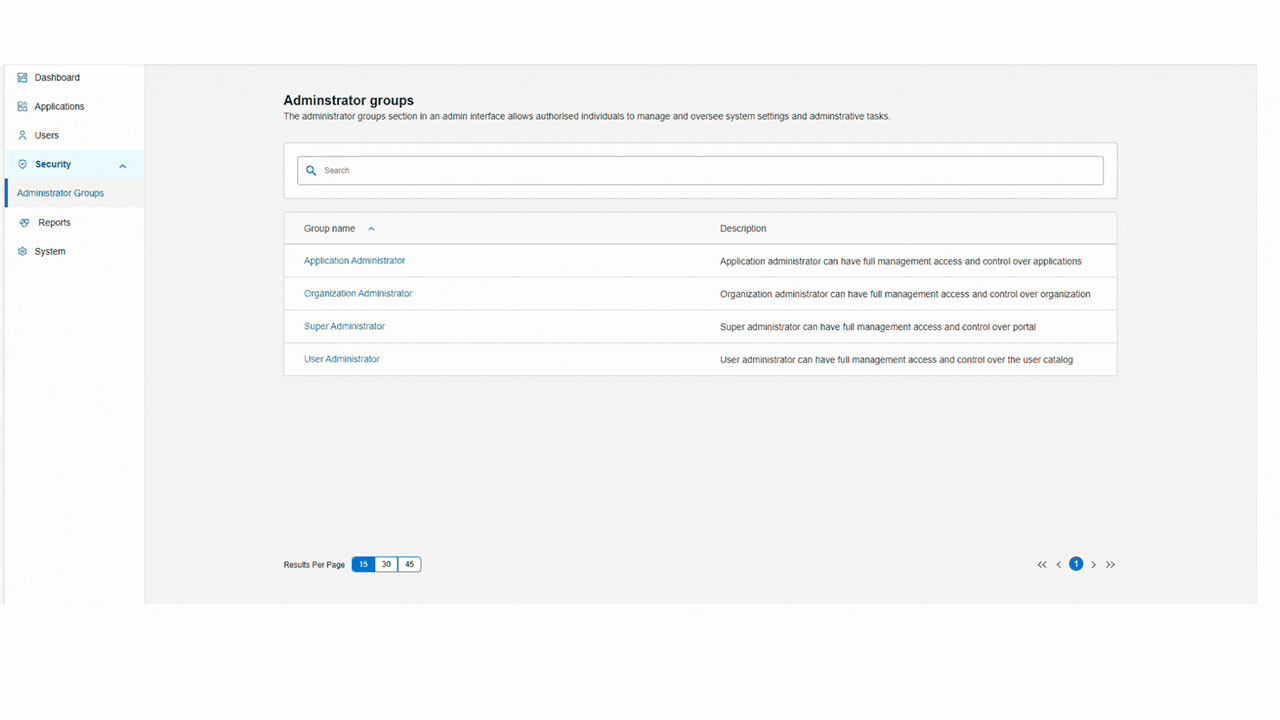
- Navigate to Security > Administrator Groups and select the role you want to assign to your team member. Only super admin can access the Security tab. Let’s say you want to assign your team member to the application administrator role.
- Select Application Administrator > Assign Users, then search for the user by email address, username, or UUID. The user must have a valid MSID or OHID account.
- Click Add, then select Confirm Assignment to assign the user to the role.
Previous:
Delegate access
Share additional feedback to help us improve.
0/255
|
Powered by Aikyam @2025 All rights reserved

+1 866 451 2735
 +1 866 451 2735

+1 855 819 5909