

Last update:
Manage organizations
Aug 21, 2026
After you have logged into the Aikyam Identity Console, you can access the Organizations page from the Dashboard, in the left navigation pane, click Organizations. Alternatively, you can click View Organizations at the bottom of the page.
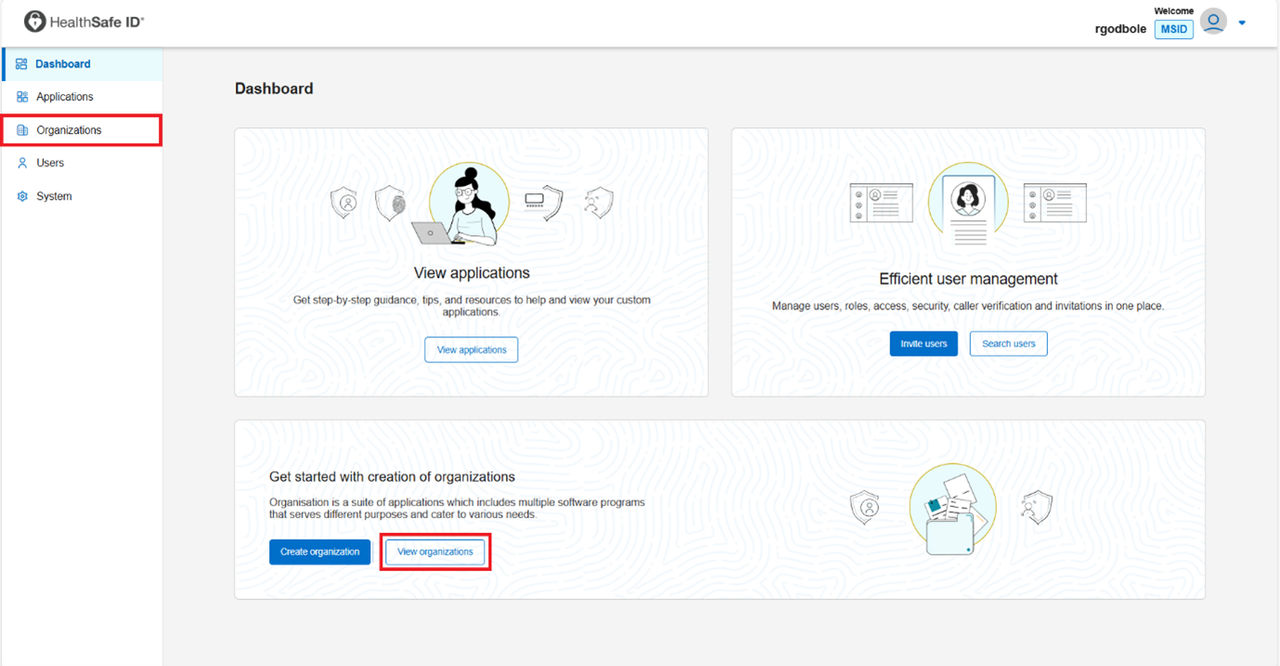
Organizations dashboard
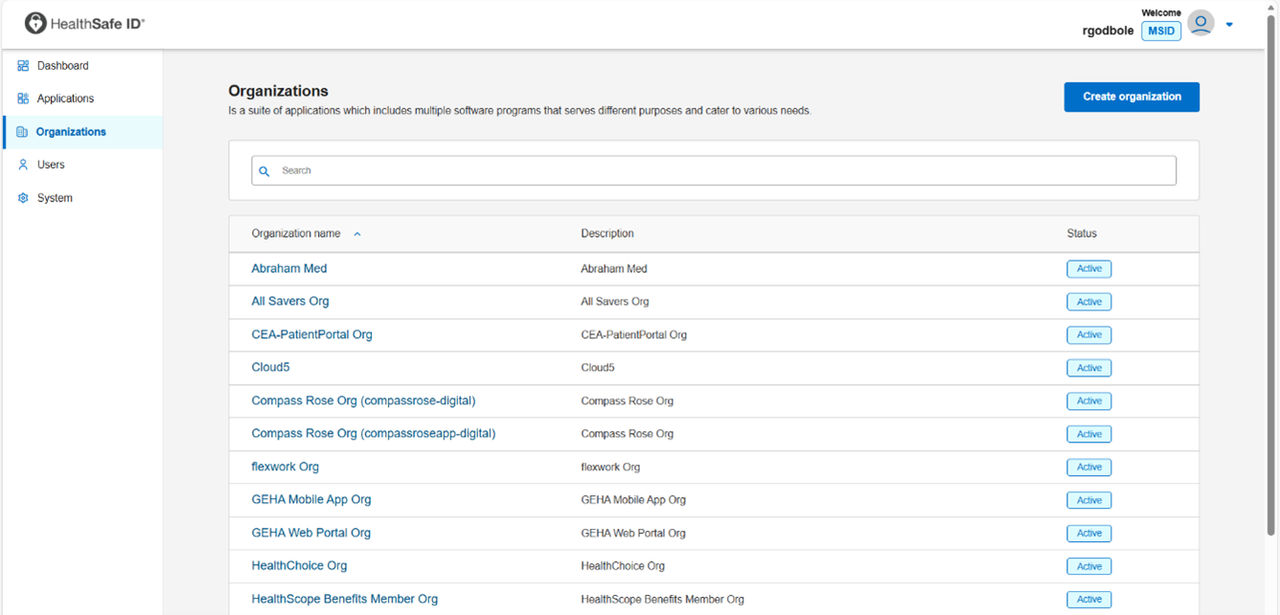
The organization’s interface displays a list of created organizations and its status. In this page you can, create an organization, update organization details, add or delete applications assigned to an organization, add or delete groups assigned to an organization, and search an organization
Previous:
Disable or enable an application
Next:
Create an organization
Share additional feedback to help us improve.
0/255
|
Powered by Aikyam @2025 All rights reserved

+1 866 451 2735
 +1 866 451 2735

+1 855 819 5909