

Last update:
Configure PBIC
Aug 21, 2026
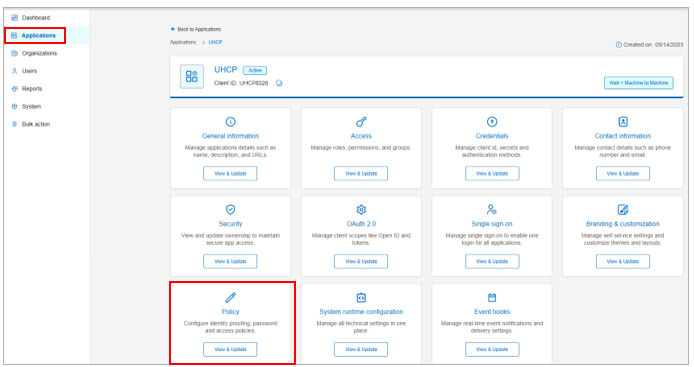
Phone‑Based Identity Confirmation (PBIC) is configured through Admin Identity Console as part of application authentication settings.
Configuration path:
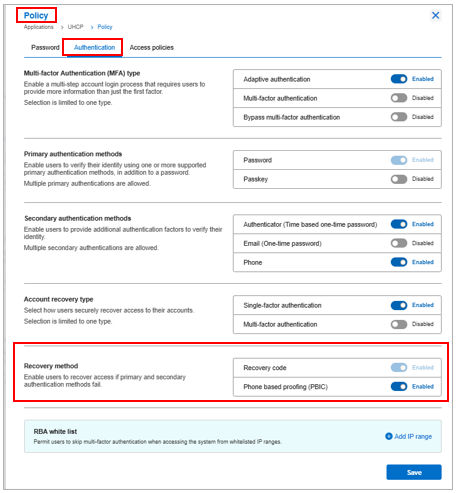
Admin Identity Console → Applications → Policy → Authentication → Recovery method → Phone-based proofing (PBIC)
Administrators can:
- Enable or disable PBIC per application.
- Select one account recovery method per application.
- Control availability using tenant‑level and application‑level feature flags.
PBIC configuration does not affect login‑time authentication behavior.
Note: In the Admin Identity Console, PBIC is labelled as Phone based proofing (PBIC) under Recovery method settings.
Previous:
PBIC identity assurance
Share additional feedback to help us improve.
0/255
|
Powered by Aikyam @2025 All rights reserved

+1 866 451 2735
 +1 866 451 2735

+1 855 819 5909