

Last update:
Direct sign-in and registration
Aug 21, 2026
When the campaign ID is used for direct sign-in / registration flow, these two changes are required:
- Include campaign_id into request parameter JWS of OIDC Authorization endpoint.
- Extract campaign_id from ID token.
With these, client application UX and HSID UX can use the same campaign ID in the analytics report.
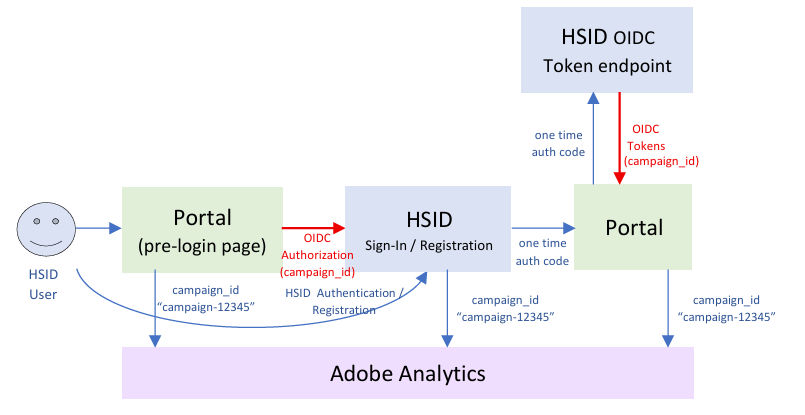
Request parameter JWS generation and OIDC Authorization endpoint call
Request parameter JWS’s JSON payload should be following the format below:
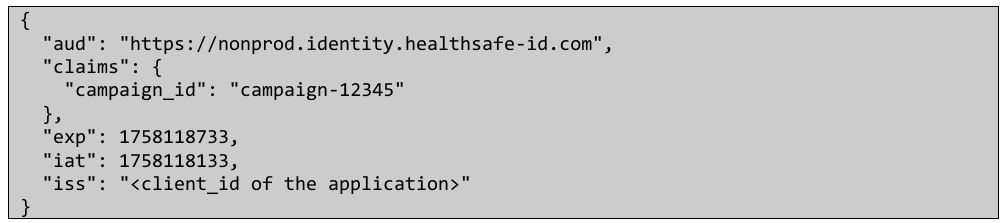
- aud: the base Aikyam HSID URL. (nonprod is shown above, prod is https://identity.healthsafe-id.com)
- iss: HSID OIDC client ID of your application.
- claims.campaign_id: Adobe Analytics Campaign ID.
- exp: Expiration time in seconds (standard JWS claim) – recommends iat + 10 min or less
- Request JWS is immediately consumed by OIDC authorization endpoint call, after the JWS generation.
- iat: Issued At time in seconds (standard JWS claim)
The sample code (Java) to generate a JWS is below: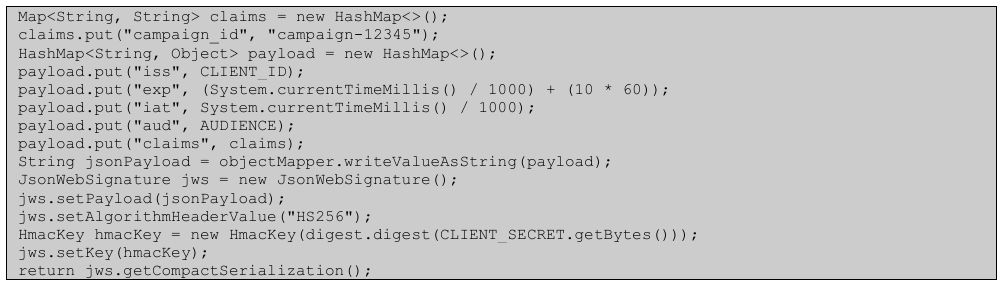
- JWS signature algorithm should be “HS256” (HMAC SHA-256) and it uses your application’s OIDC client secret as the signature key.
This generates a JWS, and it needs to be added as “request” parameter, for OIDC Authorization endpoint call.

Aikyam JWT tool
For unit test, sample Campaign ID Request JWS generation, or JWS validation, please see Aikyam JWT tool
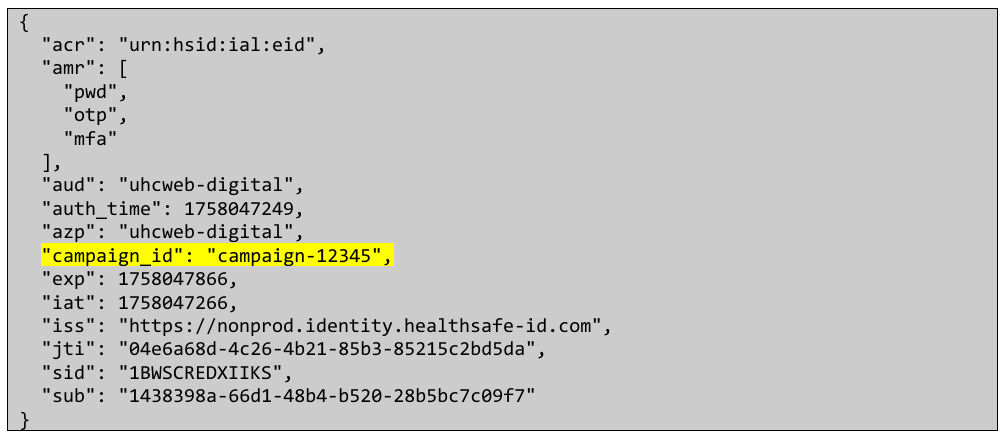
ID Token claims
Client Application can extract campaign_id value from ID token, then it can be used for Client Application’s analytics event calls.
Previous:
Adobe analytics integration
Next:
Fast track registration
Share additional feedback to help us improve.
0/255
|
Powered by Aikyam @2025 All rights reserved

+1 866 451 2735
 +1 866 451 2735

+1 855 819 5909