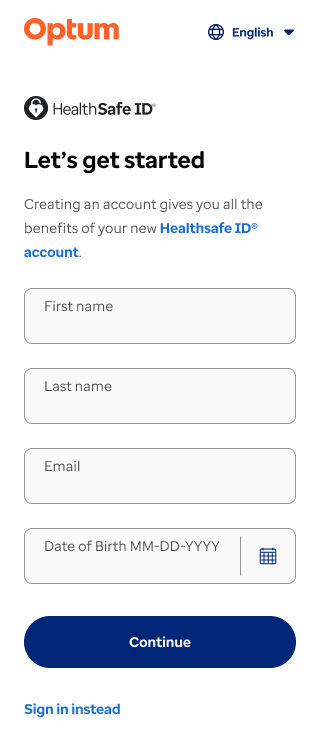
Non-members can register by providing their first name, last name, a unique email address, and the Date of Birth (DOB).
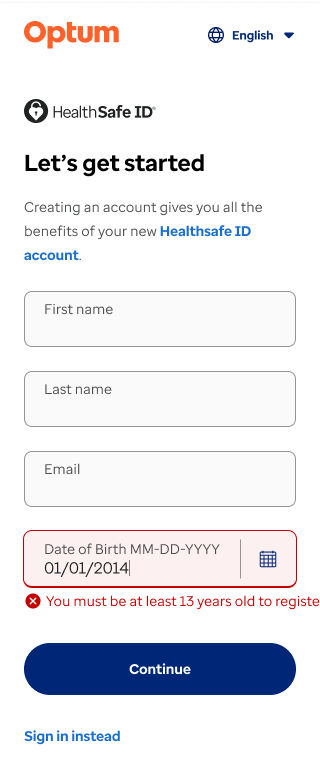
For non-member registration, the DOB field is configurable as some portals require it while others do not. Portals requiring COPPA compliance will need a DOB configuration to enforce restrictions.
Note:
The Children's Online Privacy Protection Act (COPPA) is a federal law enacted to protect the privacy of children under the age of 13.
Based on the portal requirements, it can be either COPPA-enabled, COPPA-consent enabled, or COPPA disabled. DOB serves as an identifying factor for the COPPA regulations.
COPPA-enabled: Users under 13 years cannot create an account. This restriction ensures compliance with COPPA regulations.
COPPA-consent enabled (or COPPA-compliant): A parent or legal guardian should provide consent for minors (under the age of 13) to ensure they are fully aware of and agree to the platform’s terms and conditions. COPPA-compliant portals shall require DOB configuration for COPPA restrictions to be in place.
Currently all non-members have either COPPA-enabled, or COPPA-disabled. All applications must adhere to COPPA compliance. Exceptions can only be made with legal approval.
2. Email address verification: Users should verify their unique email address by entering a code sent to their email before proceeding with the registration step.
Note: After email verification, it is checked if the provided email address exists in the system or not. If an email address exists, the user is taken to the sign-in page.
3. Phone number verification: The user enters their phone number for multi-factor authentication (MFA).
4. Password creation and confirmation: The user should create and confirm their password.
5. Identity verification step: While registering a user, there is a possibility of a bad actor registering with someone else’s data to commit fraud, which can compromise the platform’s security. To mitigate this risk, the system will call the Threat Metrix platform (TMX) to validate the user's details. TMX analyzes digital behavior and provides real-time insights to detect and prevent fraud, ensuring a seamless experience for digital users.
Once the system completes all validations, it successfully creates an account.
Registration by email invitation (Fast track registration)
The portal generates the invitation link using the API, which handles validations such as COPPA and DOB, and sends it to the respective non-member email addresses.
The user will receive a registration link via email or SMS, which will remain valid for 90 days, ensuring they have enough time to complete the registration process. They click the link to navigate to the identity verification page.
The user is required to verify the phone number provided for the invite as part of the user verification step.
The email address is unique and non-editable (for Optum Now). The user must provide and confirm their password.
The account has been created, and they’ll be directed to the portal where they can access all the resources and services securely.




 +1 866 451 2735
