

Last update:
Enable or disable passkeys
Aug 21, 2026
Passkeys are device-based credentials that allow users to log in without a password. Agents can enable, disable, or delete passkeys to maintain secure access.
Steps to manage passkeys:
- Select Users from the left navigation pane.
- Use the search bar to find the user by name, email, or username, etc.
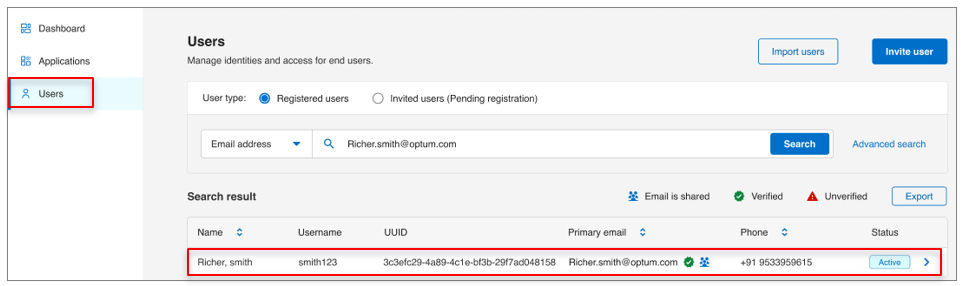
- Open the user profile and go to Account settings tab.
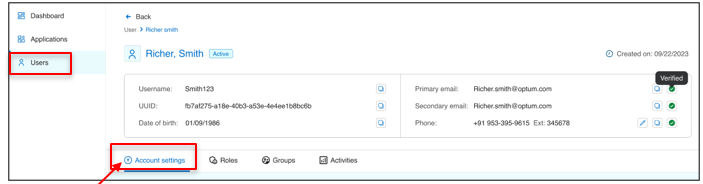
- In the manage user passkey settings:
- Use the toggle button to disable or enable the passkey.
- Click the delete icon to remove the passkey.
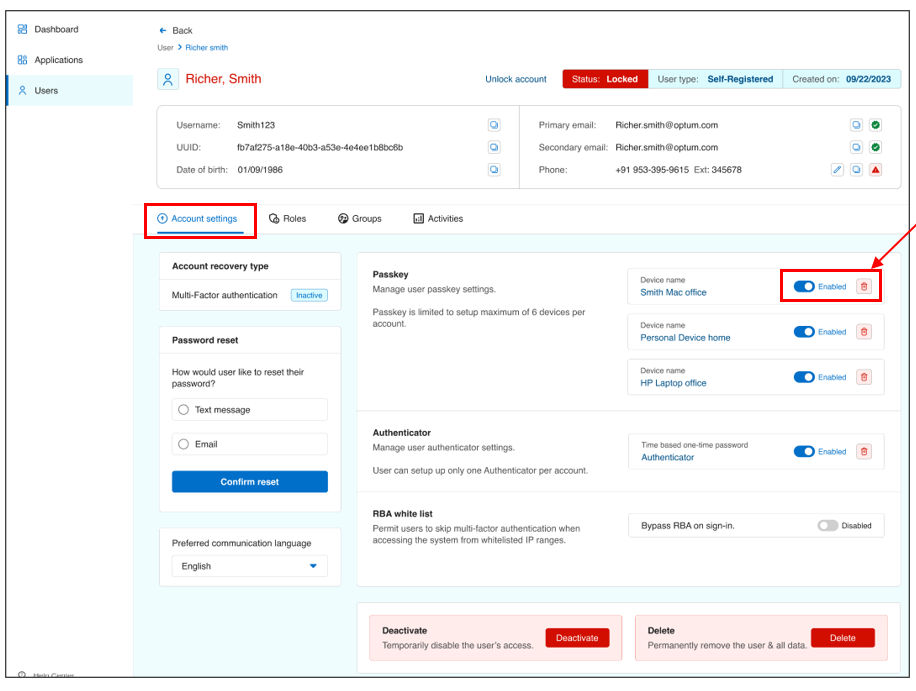
- Click Confirm to finish the action.
Result
Note: Agents can view all passkeys in this section. The user console allows users to set up a maximum of six devices.
Previous:
Configure account recovery
Share additional feedback to help us improve.
0/255
|
Powered by Aikyam @2025 All rights reserved

+1 866 451 2735
 +1 866 451 2735

+1 855 819 5909