

Last update:
Assign or revoke roles
Aug 21, 2026
Assign or revoke roles to ensure users have the correct level of access based on their responsibilities and scope of work. This helps maintain security and compliance by enforcing least-privilege principles.
Steps to assign roles:
- Select Users from the left navigation pane.
- Use the search bar to find the user by name, email, or username, etc.
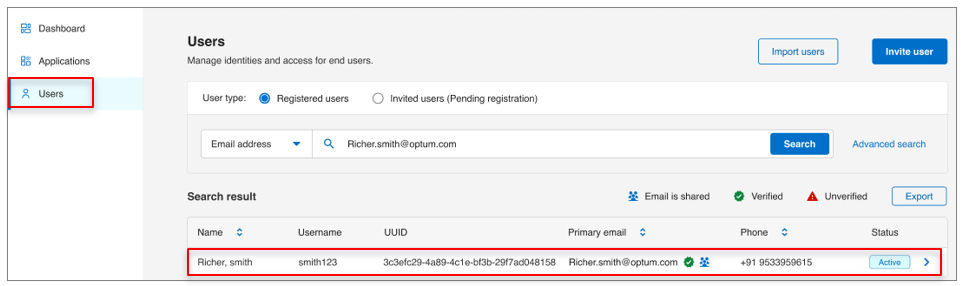
- Click the user’s name to open their profile.
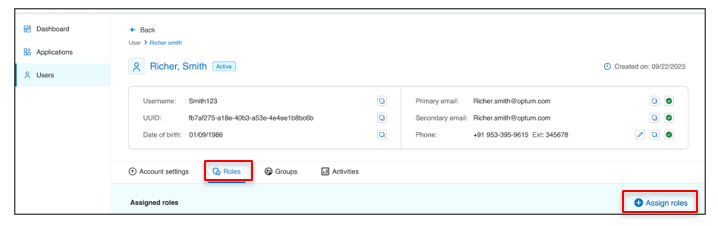
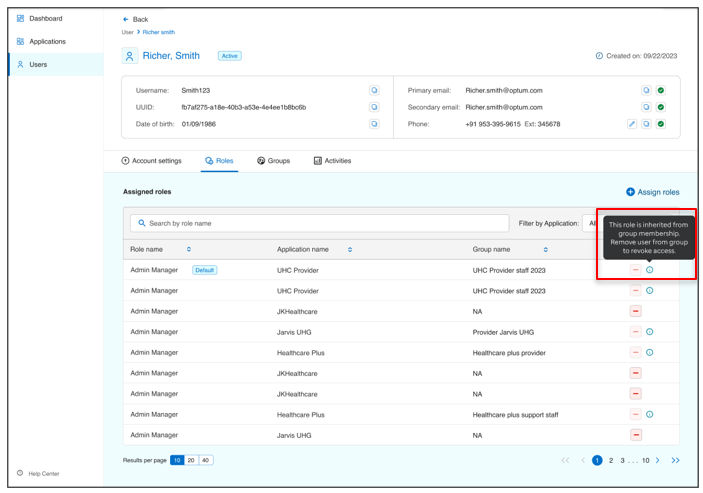
- Navigate to the Roles tab and click Assign roles .
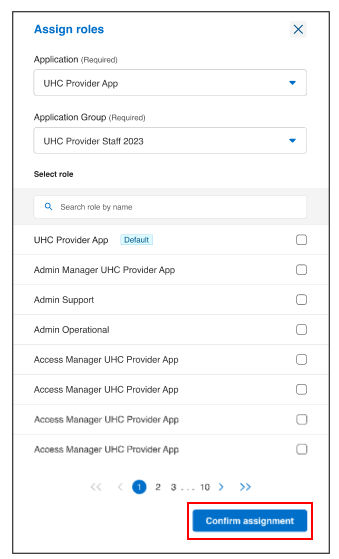
- In the Assign roles, select the Application and Application group.
- Click on Confirm assignment.
Steps to revoke roles:
- For Policy-off groups:Roles can be revoked individually from the Roles tab.
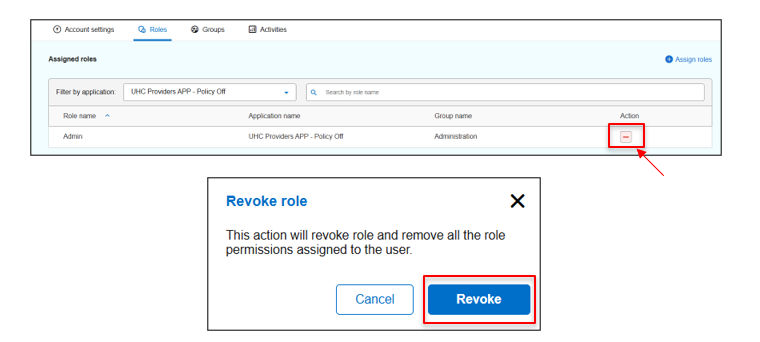
- For Policy-on groups:Roles are inherited from group membership and cannot be revoked individually. To remove these roles, remove the user from the group. For more information, see the Assign users to group section in the ALM (Application Lifecycle Management) guide.
Previous:
User authorization
Next:
View group membership
Share additional feedback to help us improve.
0/255
|
Powered by Aikyam @2025 All rights reserved

+1 866 451 2735
 +1 866 451 2735

+1 855 819 5909