

Last update:
Configure application credentials and authentication
Aug 21, 2026
Use the Credentials, OAuth 2.0 and Single Sign-On tiles to securely configure how your application identifies itself and how users gain access, ensuring controlled authorization across the Aikyam platform.
Credentials management
The Credentials tile enables administrators or app owners to view and manage authentication details required for secure communication between the client application and its user. These details include the Client ID, Client Authentication Method , andClient secret which verify the application’s identity and prevent unauthorized access. Aikyam provides client applications with all these details.
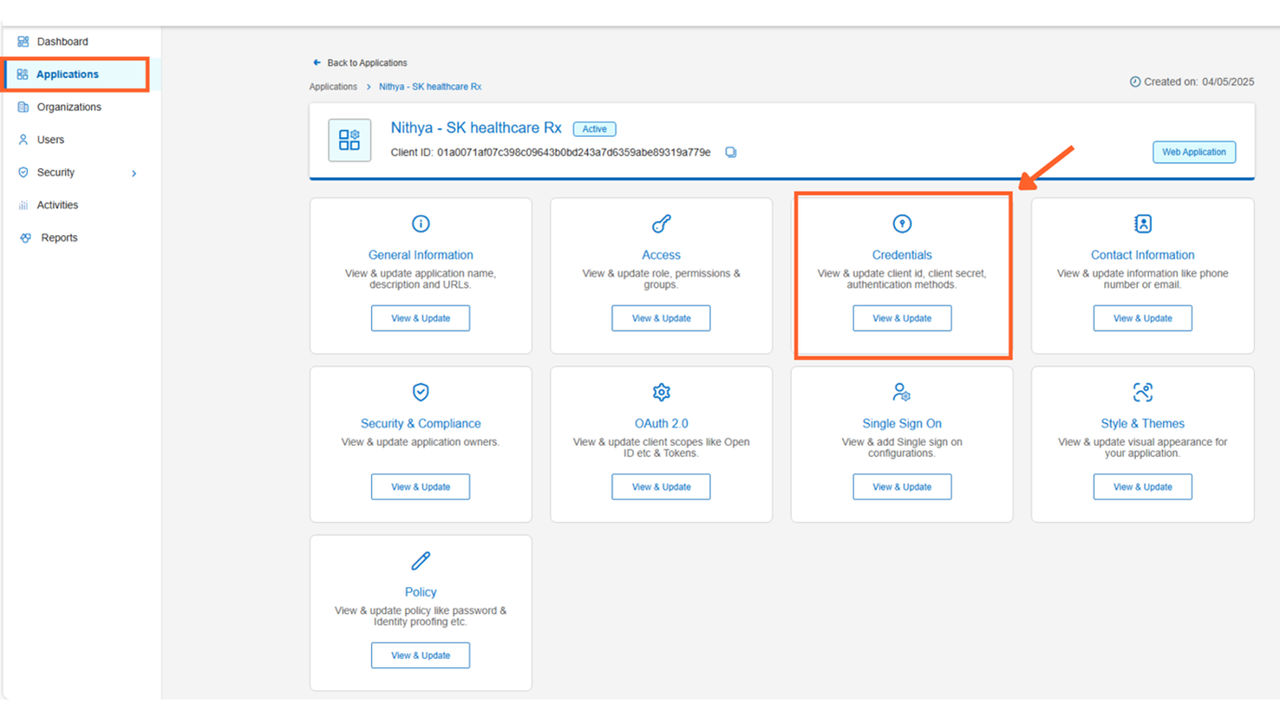
Steps
To view and edit the application’s authentication details:
- Sign in to the Aikyam Identity Console.
- In the left navigation pane, select Applications. Alternatively, you can select View Applications tile on the Dashboard.
- Select the application you want to configure.
- Go to the Credentials tile and click View & Update. The side pane displays the following fields:
- Client ID: A unique identifier to find the app during authentication. Automatically generated by the system upon application registration.
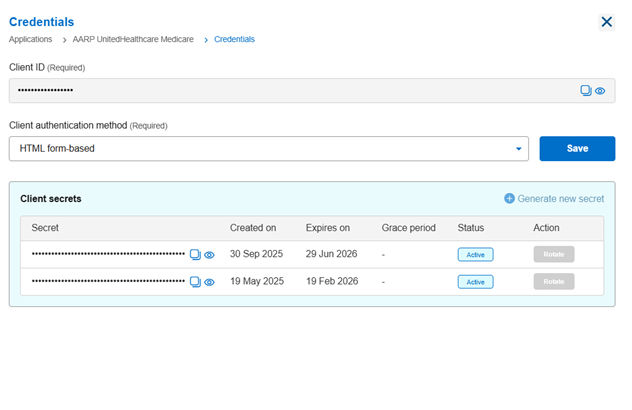
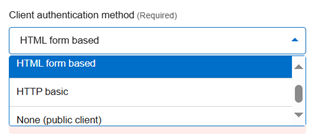
- Client authentication method: This field determines how an application authenticates with the system. Select one of the following options based on your application’s security requirements:
- HTML form-based – Authenticates using a form submission with credentials.
- HTTP basic – Uses the standard HTTP basic authentication scheme
- None (public client) – No client authentication is required, typically used for public clients that cannot securely store a secret.
- Client secrets: Unique credentials known only to the Aikyam Identity Provider and the client application. Automatically generated by the system upon application registration. You can generate another client secret as a backup for the application, click Generate new secret.Important: Securely store the Client secrets as one-way hashes to prevent unauthorized API access.
- Client ID: A unique identifier to find the app during authentication. Automatically generated by the system upon application registration.
Rotate the client secret
Check with the application administrator before rotating the secret to ensure continuity and avoid service disruptions.
Steps
To update the client secret,
- Sign in to the Aikyam Identity Console.
- In the left navigation pane, select Applications. Alternatively, you can select View Applications tile on the Dashboard.
- Select the application you want to configure.
- Navigate to the Credentials tile and click View & Update.
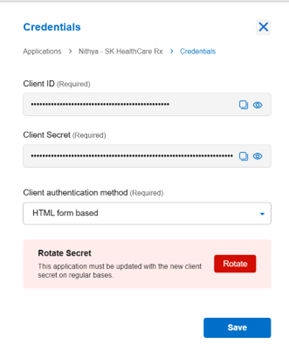
- In the Rotate Secret field, click Rotate.
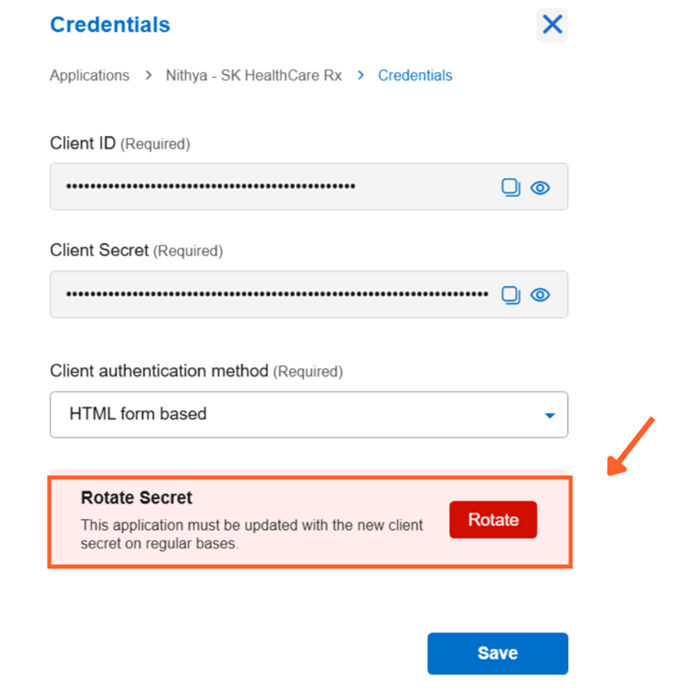
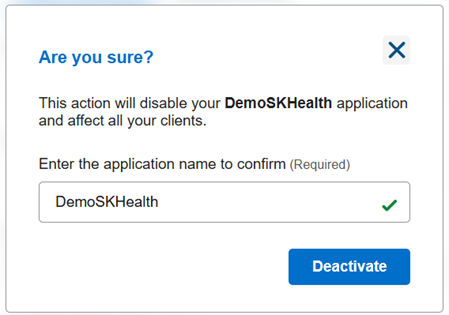
- Review the confirmation dialog message indicating that this action permanently updates the client secret.
- Click Rotate to generate a new client secret.
Previous:
Contact information
Next:
Configure OAuth2.0
Share additional feedback to help us improve.
0/255
|
Powered by Aikyam @2025 All rights reserved

+1 866 451 2735
 +1 866 451 2735

+1 855 819 5909