

Last update:
Reset user password
Aug 21, 2026
Password resets allow users to regain access to their accounts securely. The system determines the reset method based on the user’s verified contact information. A password reset can be initiated when at least one contact method is verified.
To reset a password:
- Select Users from the left navigation pane.
- Use the search bar to find the user by name, email, or username, etc.
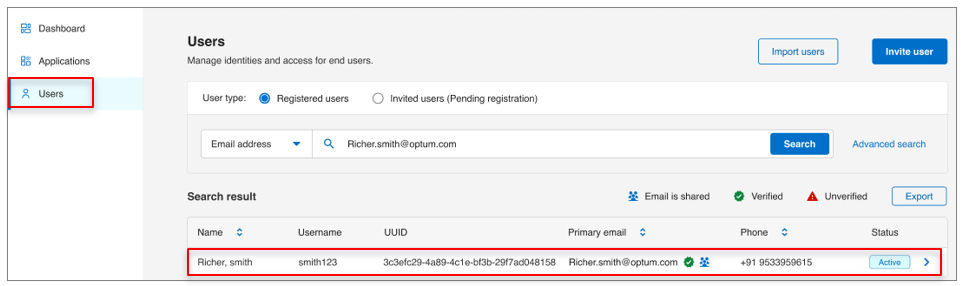
- Open the user profile and go to Account settings tab.
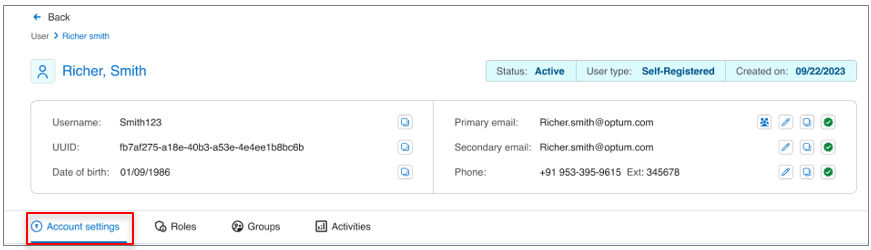
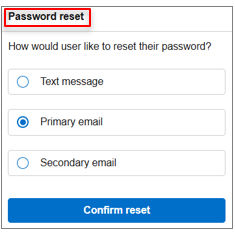
- In the Password reset section, select the reset method:
- If the primary or secondary email address is verified, the reset link can be sent via email.
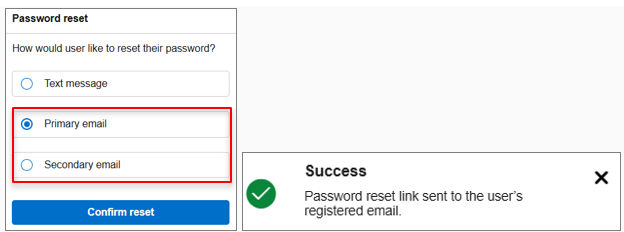
- If the phone number is verified, the reset link can be sent via SMS.
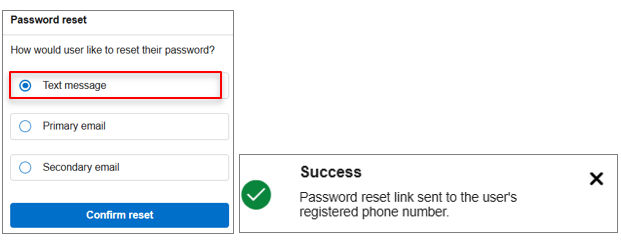
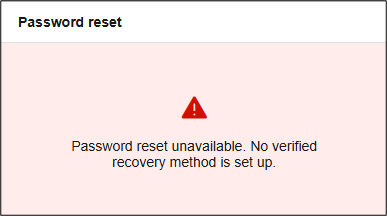
- If neither contact method is verified, password reset is not allowed, and an error message is displayed.
- If one contact method is unverified but the other is verified, the available option can be used to proceed.
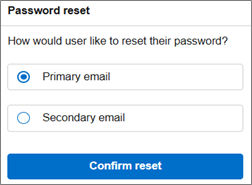
- Click Confirm reset to finish this action.
Result
Note:
Agents can initiate password resets only when the user has verified at least one contact method. If the phone number or email is not verified, agents can update and verify it on behalf of the user.
Previous:
User authentication
Share additional feedback to help us improve.
0/255
|
Powered by Aikyam @2025 All rights reserved

+1 866 451 2735
 +1 866 451 2735

+1 855 819 5909