

Last update:
Search results view
Aug 21, 2026
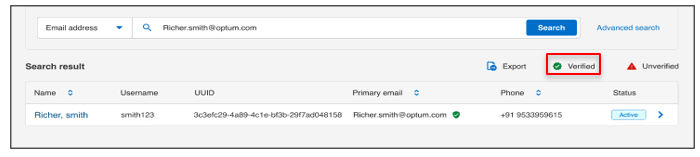
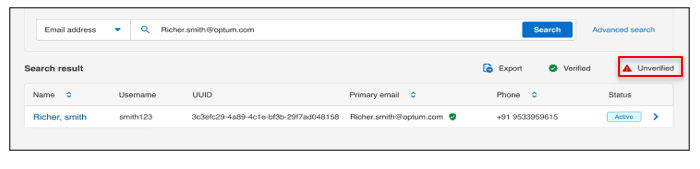
In the search results, you can quickly check the verification status of user emails:
- Verified: [Green checkmark icon] Indicates the email is verified.
- Unverified: [Red icon] Indicates the email is not verified.
- Export: Use the Export feature to download search results as an Excel file. The exported file reflects
- Current search filters
- Only visible results in the grid
This allows you to analyze or share user verification data outside the console. - Email is shared: [Blue icon] indicates the email is used in multiple user accounts.
This allows you to analyze or share user verification data outside the console.
In the image below, the email address Richer.smith@optum.com is marked as verified, indicated by the green check mark next to the Primary email field.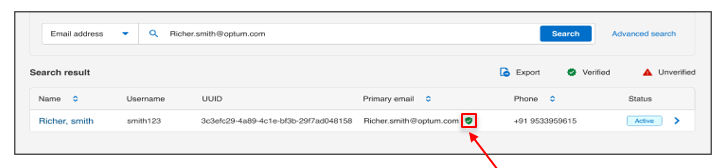
Previous:
View verification status
Next:
User details view
Share additional feedback to help us improve.
0/255
|
Powered by Aikyam @2025 All rights reserved

+1 866 451 2735
 +1 866 451 2735

+1 855 819 5909