

Last update:
Create a group
Aug 21, 2026
Groups (also known as divisions or departments) are business units used to simplify user access management. Each group may be configured with roles, users, owners and metadata.
- To create a group:
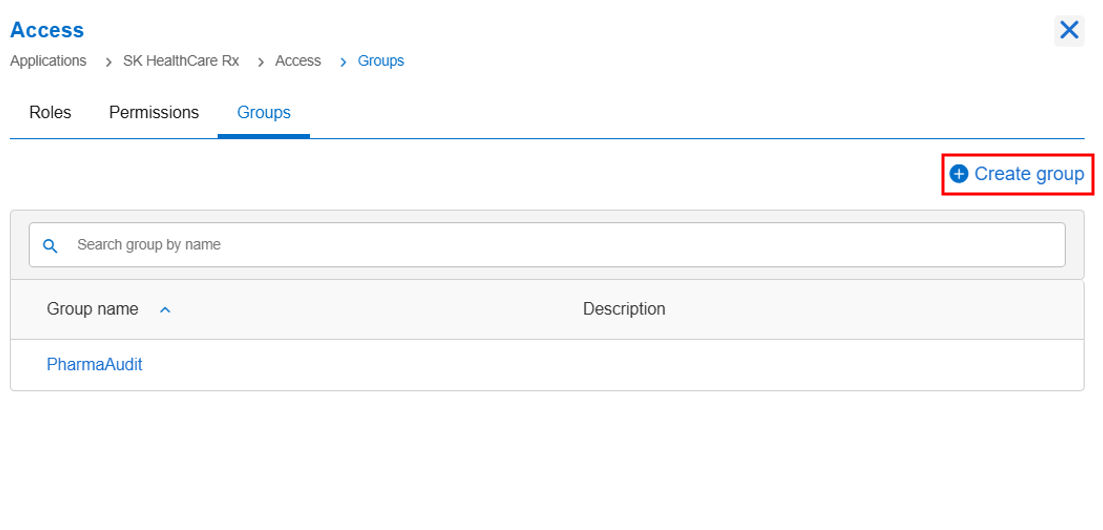
- Go to the Access tile and click View & Update.
- Under Groups tab, select Create Group.
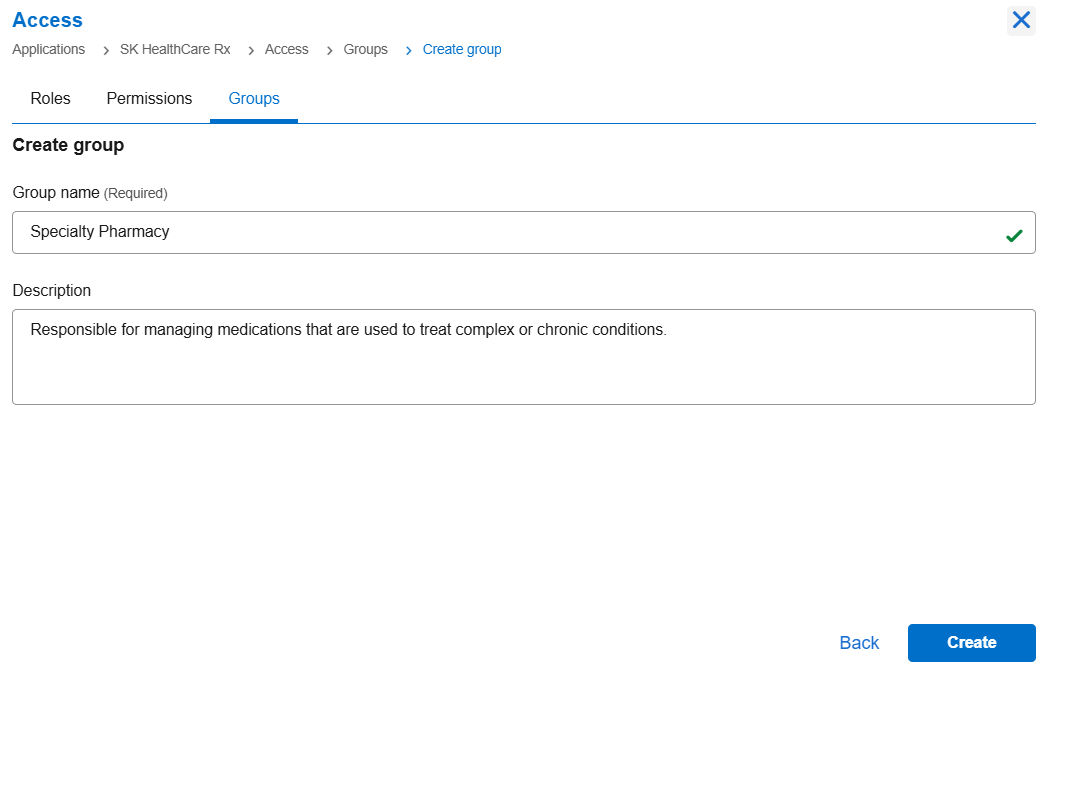
- Enter group information in the following fields:
- Group Name (Required): Enter a unique name for the group. ADDITIONAL INFORMATION: It is recommended to provide meaningful names to groups to reflect their business functions.
- Description: Enter a concise summary that outlines the purpose, responsibilities, and key functions of a specific group, or division within an organization. In this instance, create a group called “Specialty Pharmacy” and enter the description. ADDITIONAL INFORMATION: You may assign the group owner while creating the group, or alternatively, you can create the group initially and assign the group owner(s) later.
- Group Name (Required): Enter a unique name for the group.
- Click Create.
Previous:
Create roles
Next:
Assign a group owner
Share additional feedback to help us improve.
0/255
|
Powered by Aikyam @2025 All rights reserved

+1 866 451 2735
 +1 866 451 2735

+1 855 819 5909