

Last update:
Validate access inheritance
Aug 21, 2026
Validate access inheritance to confirm how roles and permissions propagate through organizational hierarchies, groups, and applications. This ensures that users do not receive unintended or excessive access due to inherited roles.
Steps to validate access inheritance:
- Select Users from the left navigation pane.
- Use the search bar to find the user by name, email, or username, etc.
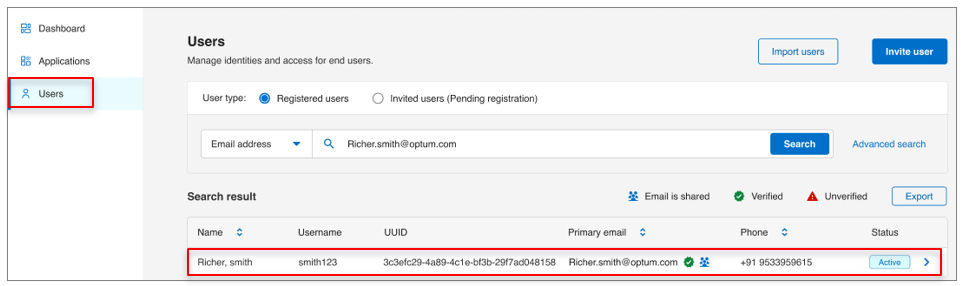
- Click the user’s name to open their profile.
- Navigate to the Roles tab.
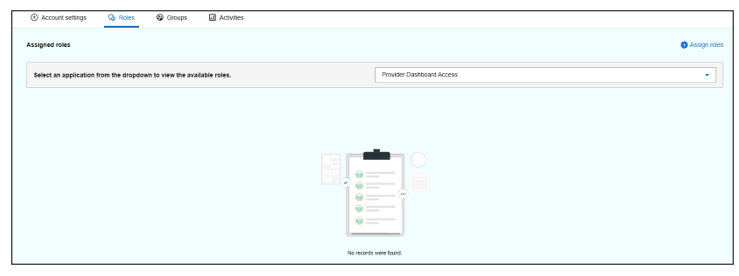
- Select the relevant application from the Application dropdown to view all roles associated with that application and any linked groups.
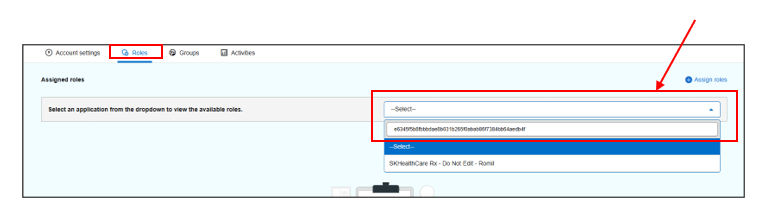
- For each role listed:
- Check the Group name column:
- If a group name is displayed, the role is inherited from that group.
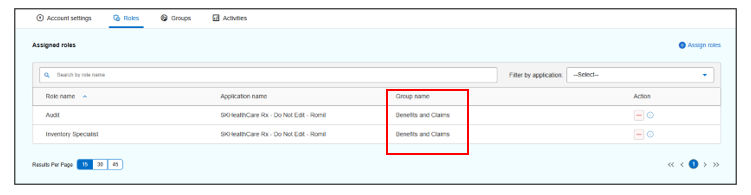
- If blank, the role is directly assigned.
- If a group name is displayed, the role is inherited from that group.
- Check the Application name column for policy type:
- Policy-on: Roles are auto-assigned through group membership and cannot be revoked individually.
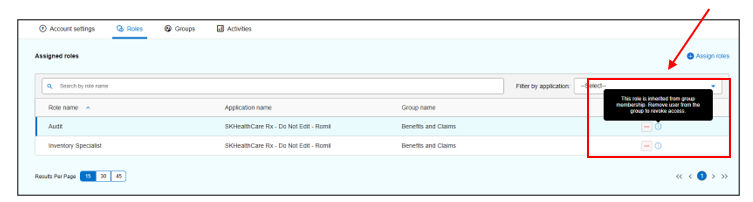
- Policy-off: Roles are manually assigned and can be revoked using the revoke icon in the Action column.
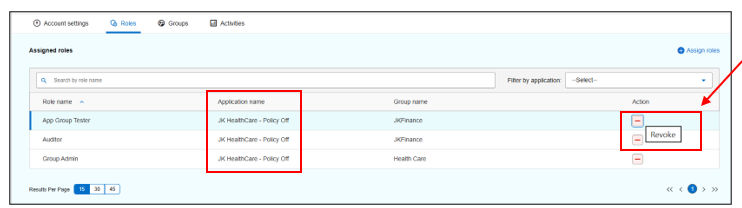
- Policy-on: Roles are auto-assigned through group membership and cannot be revoked individually.
- Confirm that inherited roles align with the user’s responsibilities and comply with least-privilege principles.
Result
Note:
- For Policy-on groups, remove the user from the group to revoke inherited roles.
- For Policy-off groups, revoke roles individually from the Roles tab.
Previous:
Review group memberships
Next:
User deprovisioning
Share additional feedback to help us improve.
0/255
|
Powered by Aikyam @2025 All rights reserved

+1 866 451 2735
 +1 866 451 2735

+1 855 819 5909