

Last update:
Advanced search
Aug 21, 2026
Filter users by multiple fields with the Advanced search option.
To perform an advanced search:
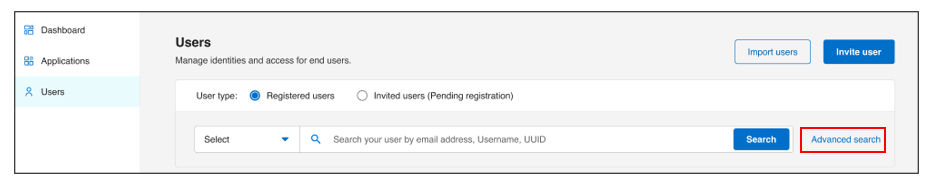
- Select Users from the left navigation pane.
- On the Users page, click Advanced search.
- Enter the fields below:
- First name (Required)
- Last name (Required)
- Email address
- Phone number
- Date of birth
- Address (requires all four fields: Address, City, State, and Zip code).
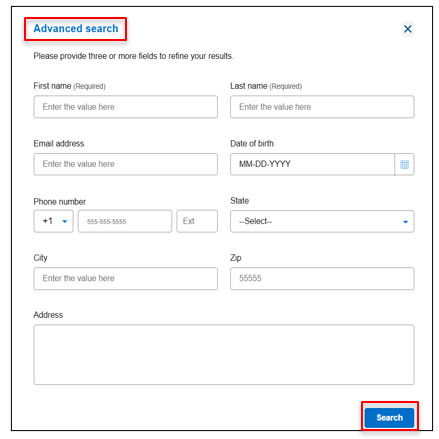
- Click Search to view results.
Result
Note:
Partial matches are supported for name fields. However, address search requires complete information such as State, City, Zip, and address details. If any field is missing or invalid, the system returns no results.
Previous:
Basic search
Next:
View verification status
Share additional feedback to help us improve.
0/255
|
Powered by Aikyam @2025 All rights reserved

+1 866 451 2735
 +1 866 451 2735

+1 855 819 5909