

Last update:
Manage users
Aug 21, 2026
Sign in to the Aikyam Identity Console using your MSID, OHID, or OFE (Gov ID and Mahix). Access to the Users page depends on your role, such as Application owner, Group owner, Support operations Tier 1 and Tier 2 agents.
To access the Users page: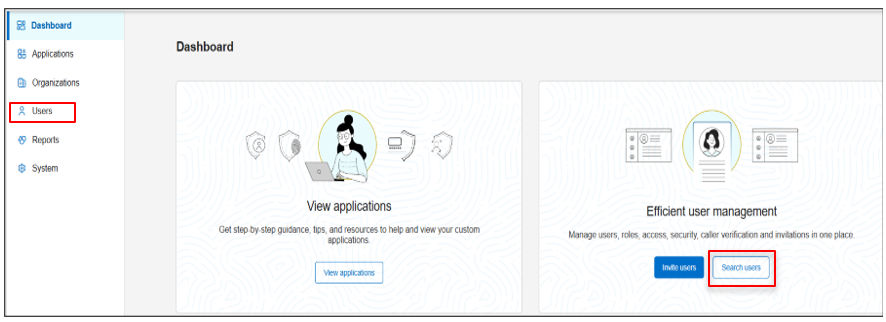
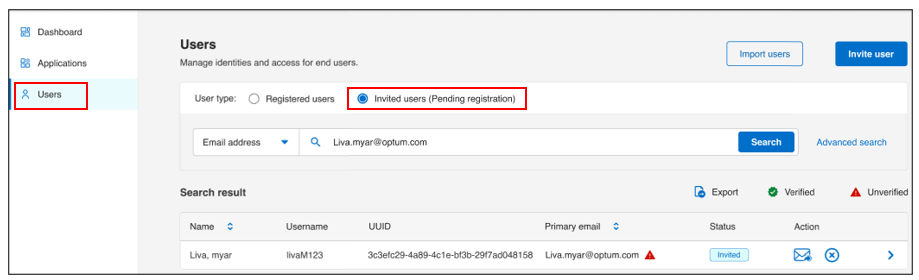
- From the left navigation pane, select Users.
- Alternatively, from the dashboard, go to Efficient user management > Search users
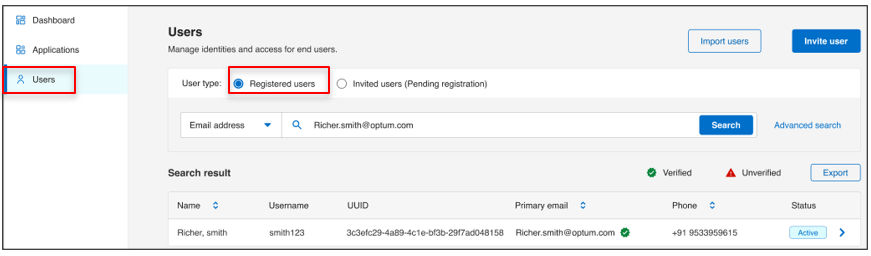
You can manage two types of users:
- Registered users: Users who have completed registration process. There are two types of registered users:
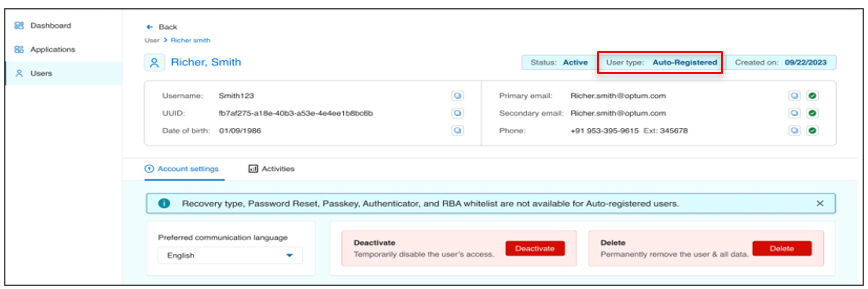
- Auto-registered users (JIT users): Users are automatically provisioned through federated single sign-on (SSO) using a contact key and do not have permission to view or modify account settings, including recovery type, password resets, passkey, authenticator configuration, or the Risk-based authentication (RBA) whitelist.
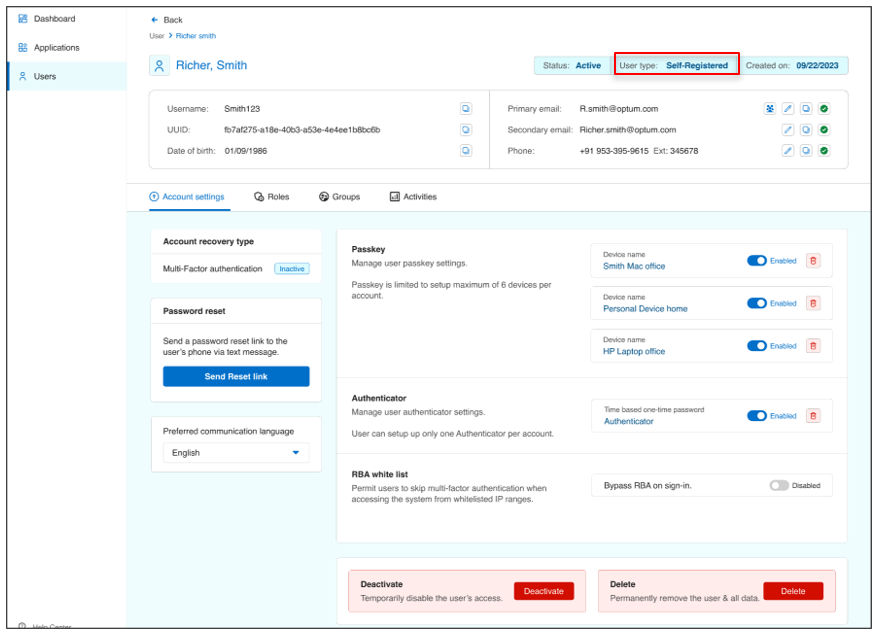
- Self-registered users: Users register through the self-service registration form and can access and manage their account through the self-service portal after registration.
- Auto-registered users (JIT users): Users are automatically provisioned through federated single sign-on (SSO) using a contact key and do not have permission to view or modify account settings, including recovery type, password resets, passkey, authenticator configuration, or the Risk-based authentication (RBA) whitelist.
- Invited (Pending registration): Users who have been invited but not yet registered (Applicable for OHID tenants only).
Note:
- Use the user type radio button to switch between Registered users and Invited (Pending registration).
- Invited (Pending registration) is applicable for OHID tenants only.
Previous:
User provisioning
Next:
Invite user
Share additional feedback to help us improve.
0/255
|
Powered by Aikyam @2025 All rights reserved

+1 866 451 2735
 +1 866 451 2735

+1 855 819 5909