

Last update:
Invite user
Aug 21, 2026
Use the Invite user option to create a new user. The system sends an invitation email with a registration link. Invite users with access (assigned roles and groups) or without access (associated only with an application).
Steps to invite user :
- Select Users from the left navigation pane.
- Click Invite user

- In the overlay pane, enter the following details:
- (Required) First name
- (Required) Last name
- (Required) Email address
- (Optional) Username
- (Required) Select the Application and Application redirect URL to associate with the user.
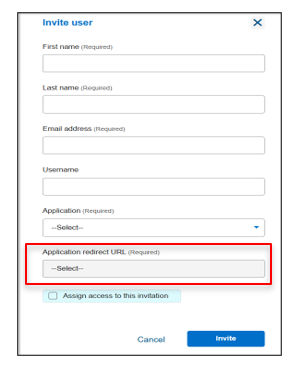
- (Optional) To invite the user with access, check Assign access to this invitation and select the Associate application groups and Associate group roles.
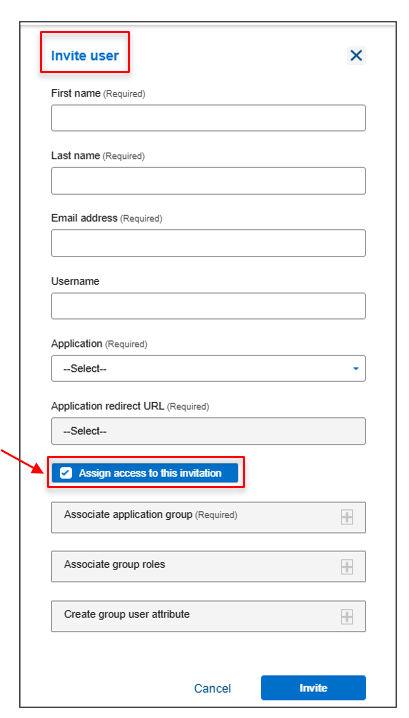
- (Optional) Click Create group user attribute to include Attributes name such as Emp_id and Attribute value such as email address, phone number, etc. (up to 50 per user).
- Review the details and click Invite to complete the action.
Result
Note:
- This functionality is currently supported for OHID tenants only.
- All roles associated with the group will be automatically assigned to added users.
Previous:
Manage users
Share additional feedback to help us improve.
0/255
|
Powered by Aikyam @2025 All rights reserved

+1 866 451 2735
 +1 866 451 2735

+1 855 819 5909