

Last update:
Personalize audit view
Aug 21, 2026
Users can personalize the audit log view by selecting columns. The system saves your preferences and applies them automatically when you revisit the tab.
- Select a minimum of 3 and a maximum of 8columns to maintain an optimal layout.
- Available columns include:
- Date and time
- Application ID
- Event
- Event category
- Actor ID
- Country code
- Phone number
- Details
- Client IP
- Session ID
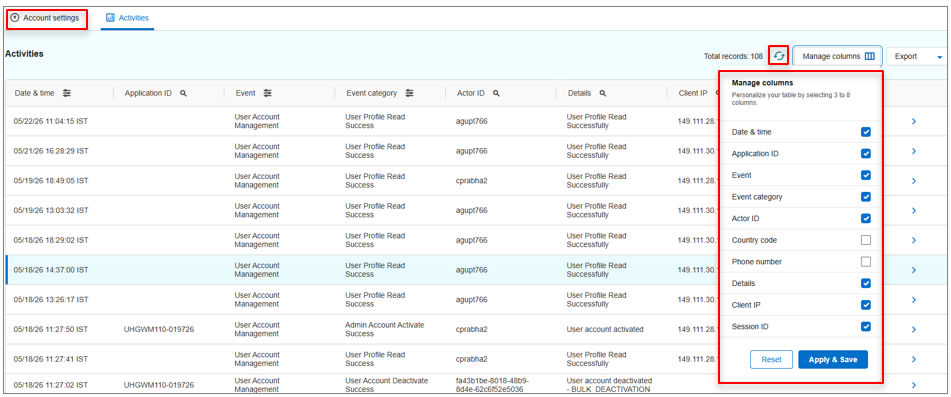
This flexibility allows users to tailor the view based on their audit or investigation needs.
Note:
Use the Refresh icon to reload all entries.
Previous:
Track user activity
Next:
Apply filtering options
Share additional feedback to help us improve.
0/255
|
Powered by Aikyam @2025 All rights reserved

+1 866 451 2735
 +1 866 451 2735

+1 855 819 5909