

Last update:
Forgot password
Aug 21, 2026
Users can reset their password if they are unable to sign in using their existing credentials. The system guides them through a secure multi-step process to verify identity and set a new password.
- The user selects Forgot Password? on the login screen and navigates to the Reset Your Password page.
- The user enters their registered email address.
- The system sends a one-time password (OTP) to the user's registered phone number. The user chooses to receive the OTP via text message or phone call and enters it to confirm identity.
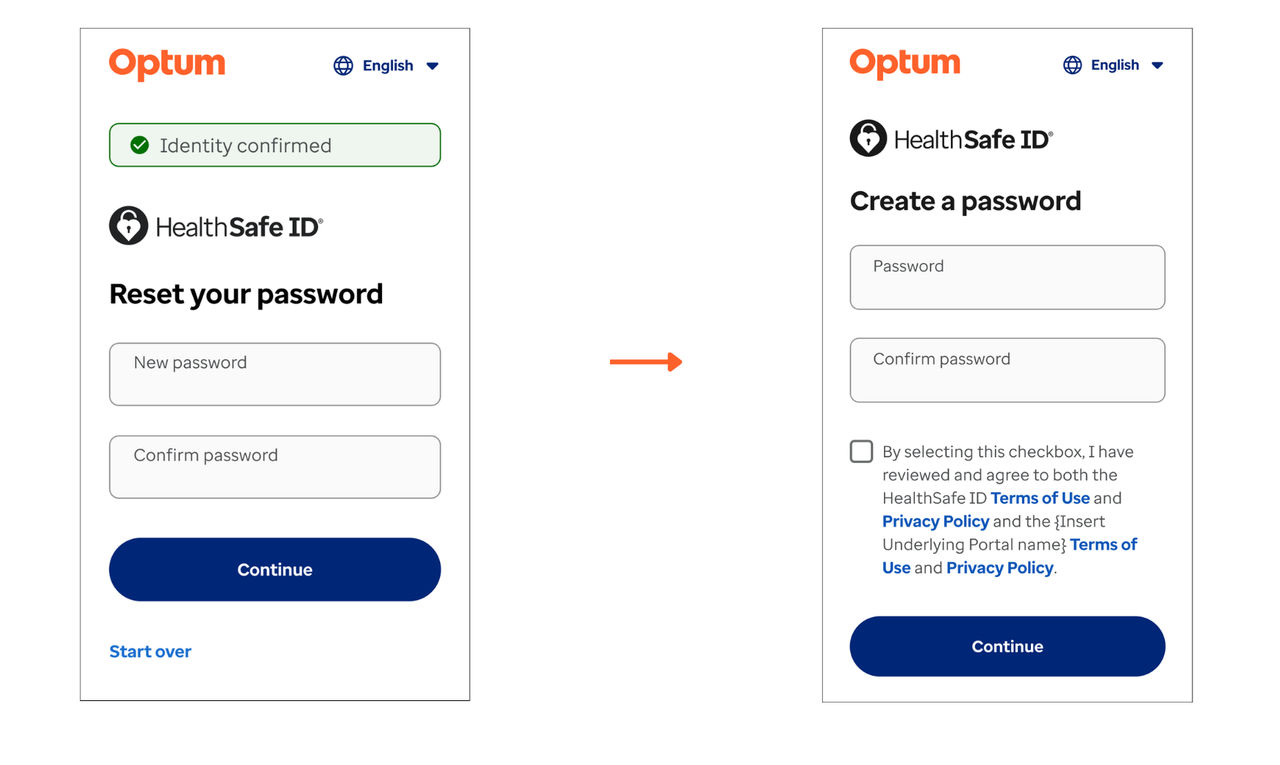
- The user creates a new password and confirms it.
- After successful verification, the system resets the password and completes the process.
Previous:
Account recovery
Next:
Hybrid user experience
Share additional feedback to help us improve.
0/255
|
Powered by Aikyam @2025 All rights reserved

+1 866 451 2735
 +1 866 451 2735

+1 855 819 5909