

Last update:
Manage event hooks
Aug 21, 2026
The Event hooks tile enables the AIC administrators and business advocates to manage real-time event notifications and the event delivery settings.
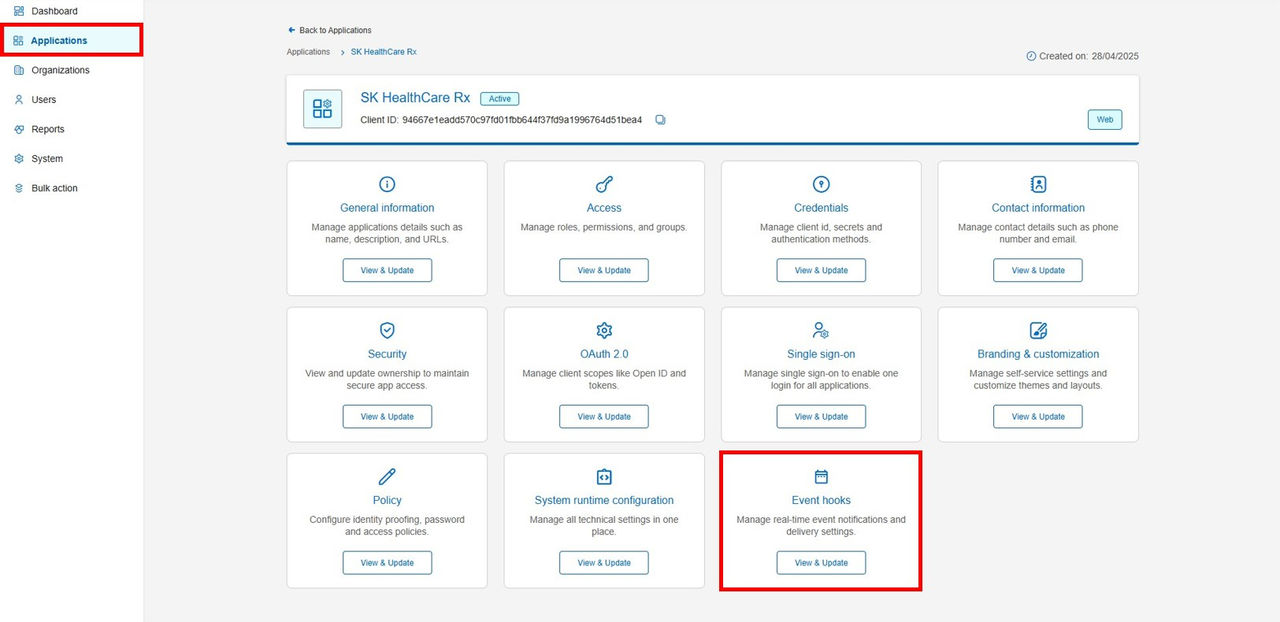
Create an Event Hook
To create an event hook:
- In the left navigation pane, select Applications. Alternatively, you can select View Applications tile on the Dashboard.
- Select the application for which you want to create an event hook.
- Navigate to the Event hook tile and click View & Update. The event hook window appears.
- Click Add event hook. The Add event hook dialog box appears.
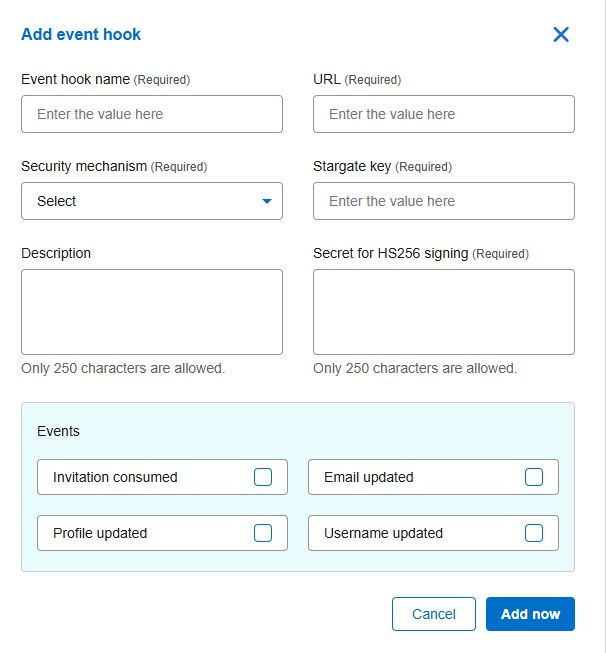
- Add the event hook details in the required fields:
- Event hook name (Required): Enter a unique name for the event hook.
- URL (Required): Enter the URL where the event notifications are sent.
- Security Mechanism (Required): Select one of the following security mechanisms:
- Stargate HS256 JWT
- Stargate key (Required): Enter the stargate key.
- Secret for HS256 signing: Ente the shared secret key used in the HS256 algorithm for signing JSON Web Tokens (JWT), which is crucial for ensuring the integrity and authenticity of the token.
- Stargate HS256 JWT – Auto: Automatically ads the basic configuration details at the backend.
- Stargate HS256 JWT
- HCP API
- Scope (Required):
- Client ID (Required): Enter the unique identifier assigned to the application or the service.
- Client Secret (Required): Enter the client secret details that will be used in authentication process to secure the communication between the client application and the identity provider.
- Environment (Required): Enter the environment information where the event hook will be implemented.
- Description: Add a description that explains the purpose of the event hook.
- In the Events box, select the check box against the event types for which you want to have the notifications.
- Invitation consumed
- Email updated
- Profile updated
- Username updated
- Click Add now.
Previous:
Manage source application
Next:
Manage user access
Share additional feedback to help us improve.
0/255
|
Powered by Aikyam @2025 All rights reserved

+1 866 451 2735
 +1 866 451 2735

+1 855 819 5909