

Last update:
Audit group memberships
Aug 21, 2026
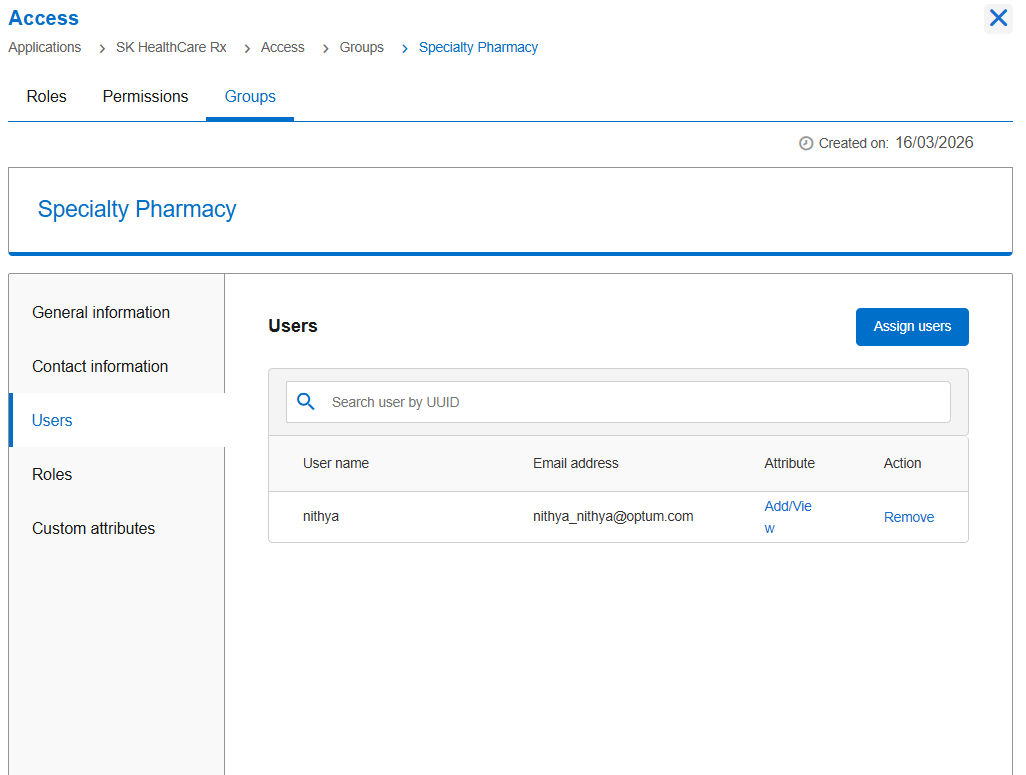
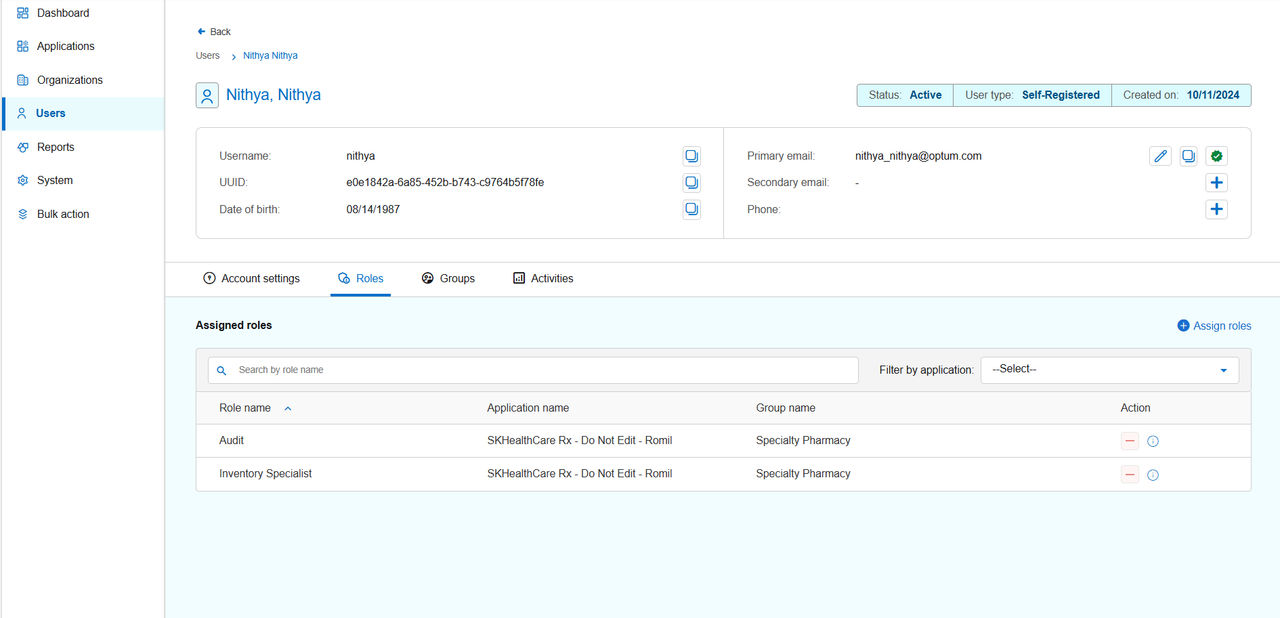
To ensure robust access governance and uphold least-privilege principles, business advocates should regularly audit group memberships. They can review group-membership information by navigating to the following interface of the identity console:
- Access tile > Group tab > select a group name > Users section: Displays all users currently assigned to a specific group.
- Users tile > select Individual user > select Roles tab > select Application: Displays a list of group names, roles inherited through the group and the status of each role assignment.
Previous:
Remove users from the group
Share additional feedback to help us improve.
0/255
|
Powered by Aikyam @2025 All rights reserved

+1 866 451 2735
 +1 866 451 2735

+1 855 819 5909