

Last update:
Define permissions
Aug 21, 2026
Permissions are the access rights provided to users over resources in the application. Simply put, they determine what actions users can perform or what information they can access within the secured health data.
Prerequisites
Ensure you are logged into the Aikyam Identity Console as an application owner to complete this task.
The user who needs to be assigned to the group must have an active tenant account.
- To create a permission:
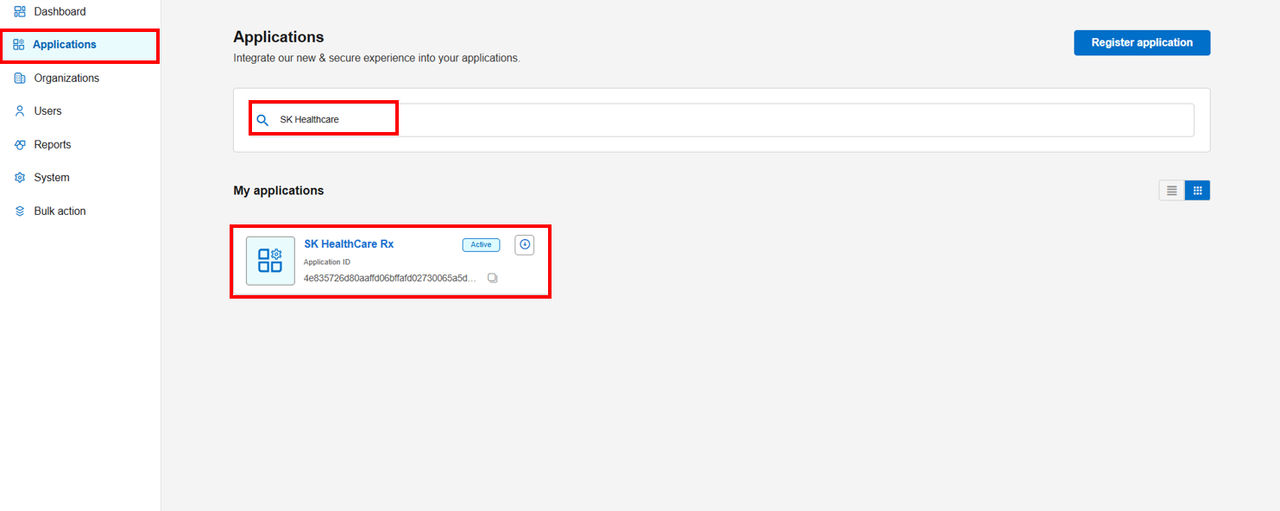
- In the left navigation pane, select Applications. Alternatively, you can select View Applications tile on the Dashboard.
- Select the application for which you want to create a permission. In this example, search for the SK HealthCare Rx and then select it from the displayed results.
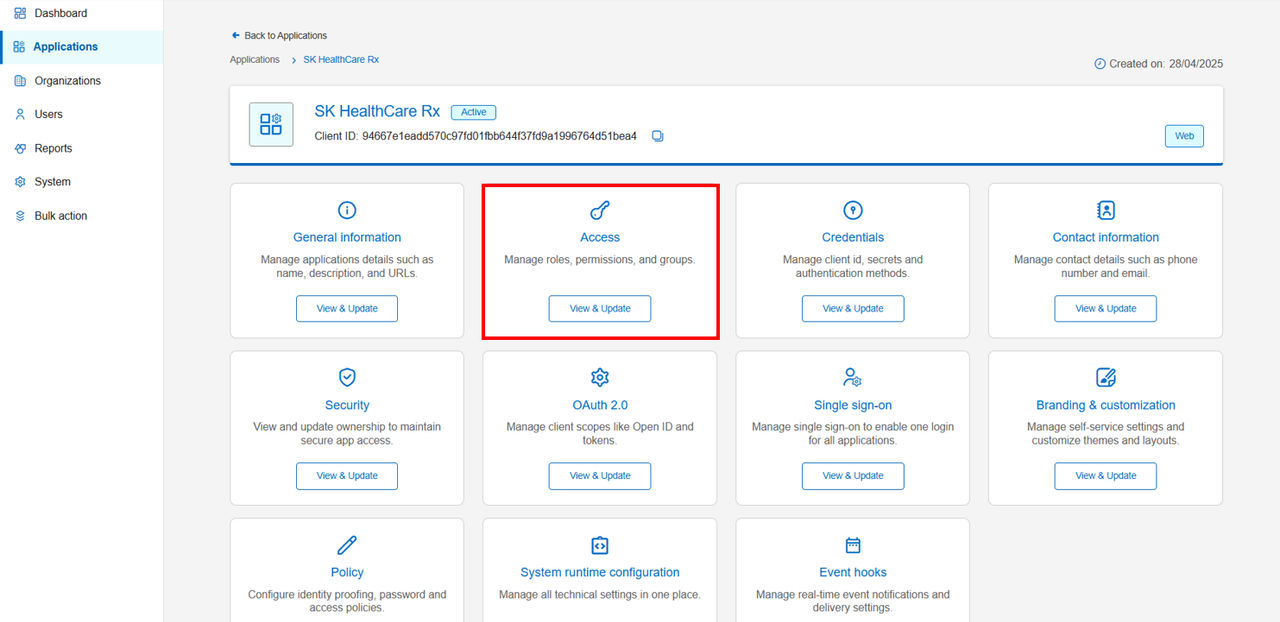
- Navigate to the Access tile and click View & Update.
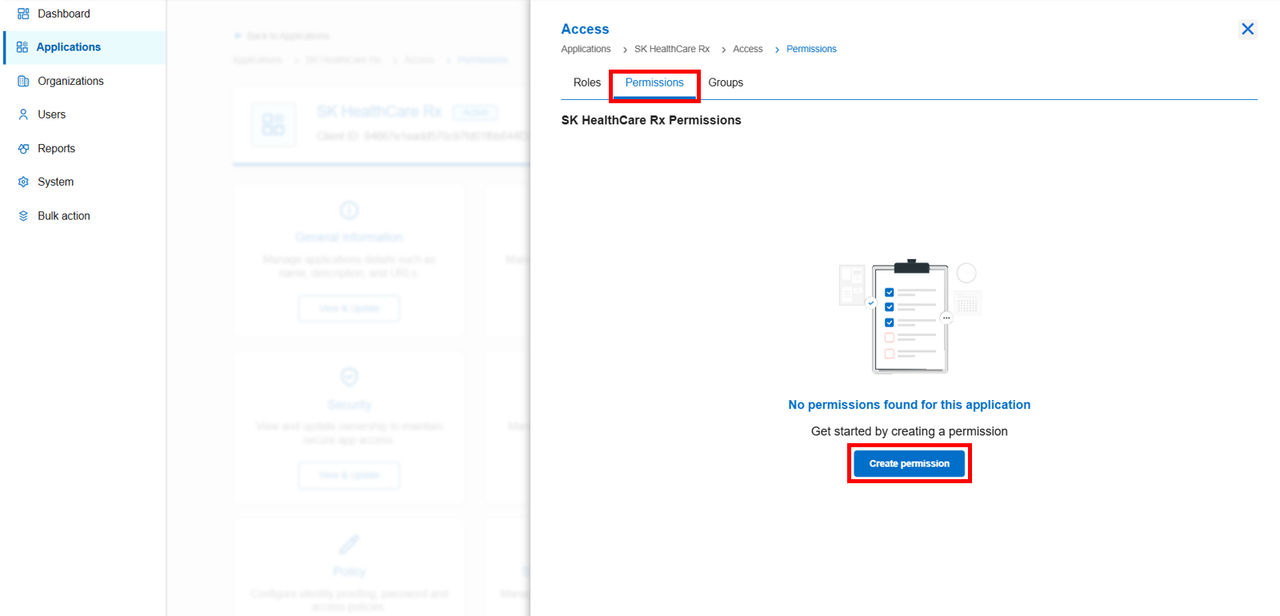
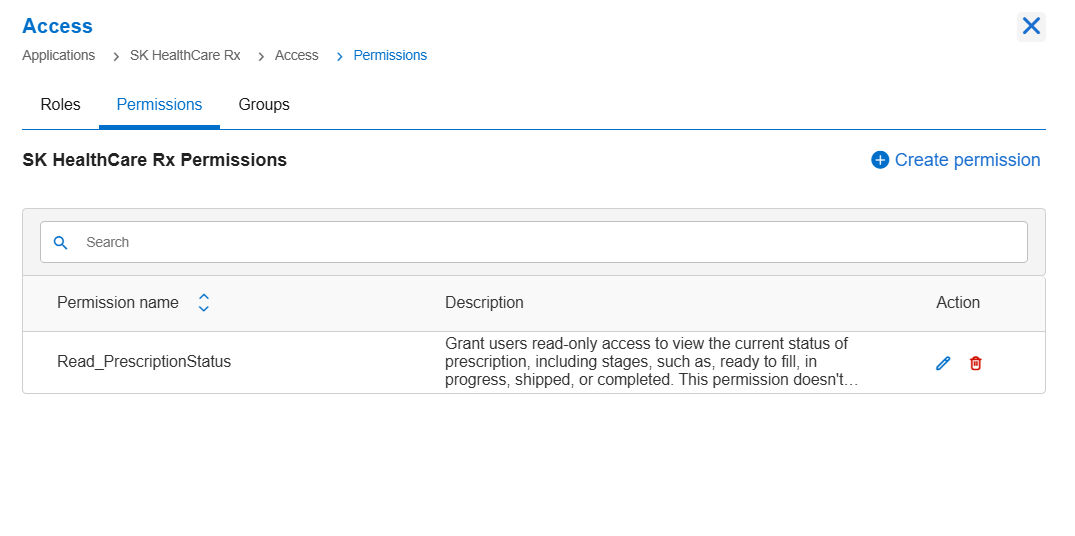
- Go to the Permissions tab and click Create Permission.
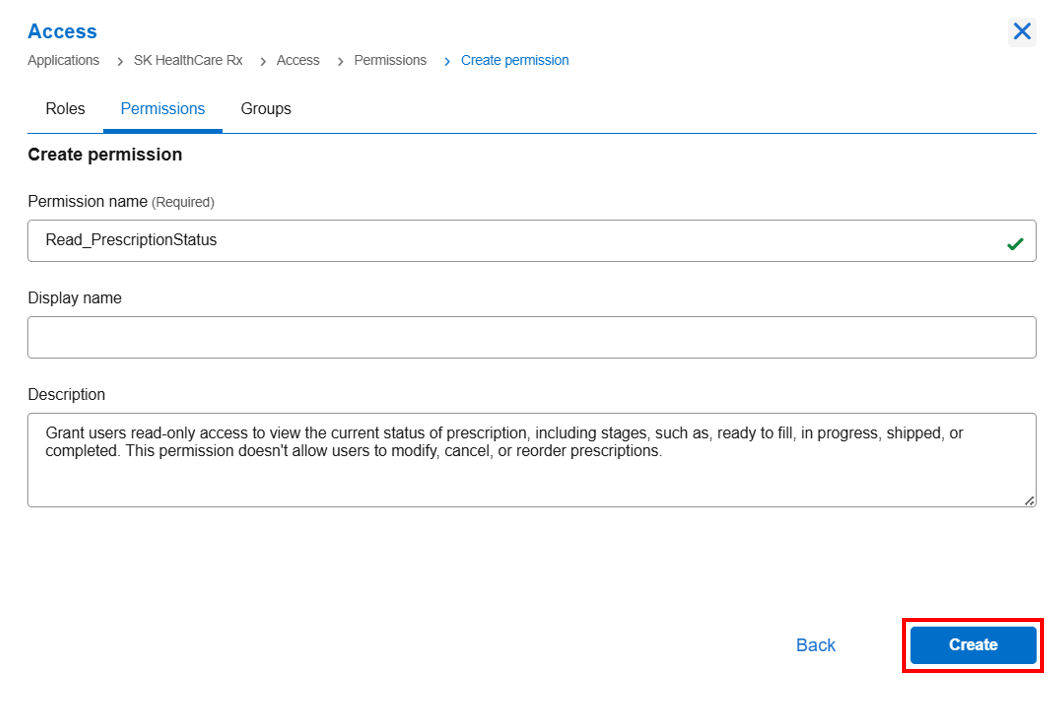
- Enter a permission name (for example, Read_PrescriptionStatus) and description, then click Create.
- Note: You can create as many permissions as needed to match your access requirements.
Previous:
Access management
Next:
Create roles
Share additional feedback to help us improve.
0/255
|
Powered by Aikyam @2025 All rights reserved

+1 866 451 2735
 +1 866 451 2735

+1 855 819 5909