

Last update:
Manage authenticator setup
Aug 21, 2026
Users can configure authenticators (e.g., Microsoft Authenticator) for secondary verification. Agents can manage existing authenticator setups to maintain account security.
Steps to manage authenticator settings:
- Select Users from the left navigation pane.
- Use the search bar to find the user by name, email, or username, etc.
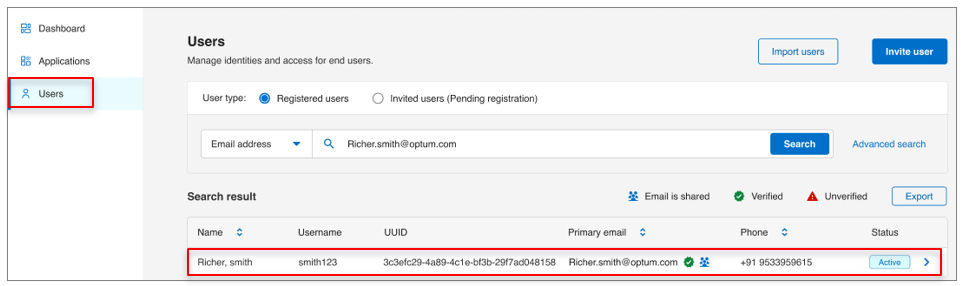
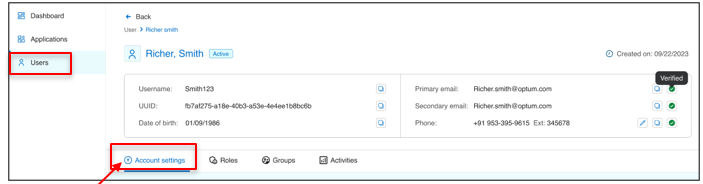
- Open the user profile and go to Account settings tab.
- In the Manage user authenticator settings:
- Use the toggle button to enable or disable the authenticator.
- Click the delete icon to remove the authenticators.
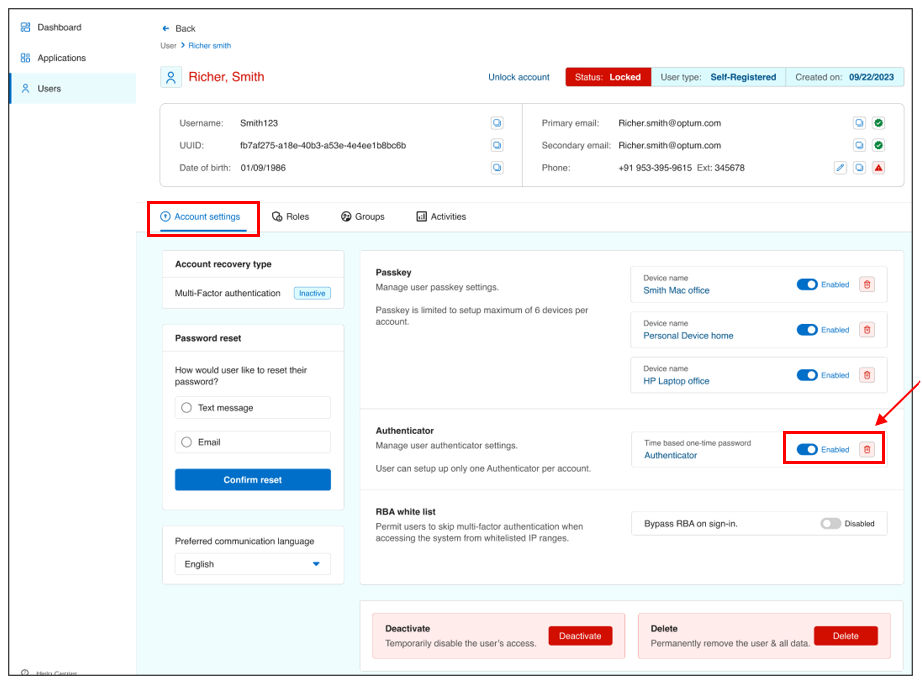
- Click Confirm to finish the action.
Result
Note: Only users can complete the initial setup of authenticators. Agents can manage authenticator settings but not configure authenticators.
Share additional feedback to help us improve.
0/255
|
Powered by Aikyam @2025 All rights reserved

+1 866 451 2735
 +1 866 451 2735

+1 855 819 5909