

Last update:
Basic search
Aug 21, 2026
Search for users using a single identifier such as email, UUID, or phone number, etc.
To perform a basic search:
- Select Users from the left navigation pane.
- On the Users page, go to the Search tab.

- In the dropdown, select an identifier:
- Email address
- Username
- UUID
- TMX ID
- Phone number
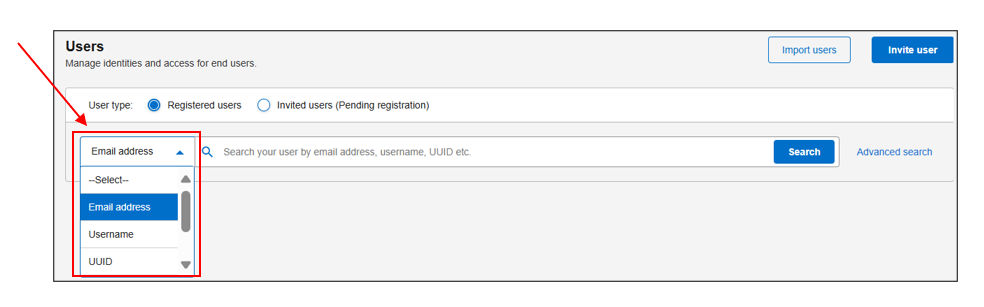
- Enter the corresponding value and click Search.
Result
Note:
Basic search supports only one identifier at a time. Use Advanced search for multi-criteria filtering.
Previous:
Search users
Next:
Advanced search
Share additional feedback to help us improve.
0/255
|
Powered by Aikyam @2025 All rights reserved

+1 866 451 2735
 +1 866 451 2735

+1 855 819 5909