

Last update:
Sign-in experience
Aug 21, 2026
The user enters their email address and password to complete the first factor of authentication.
To confirm identity, the user verifies their phone number by entering a one-time password (OTP) received via text message or phone call. After successful verification, the system completes the login process and grants access.
Log-in experience with step-up
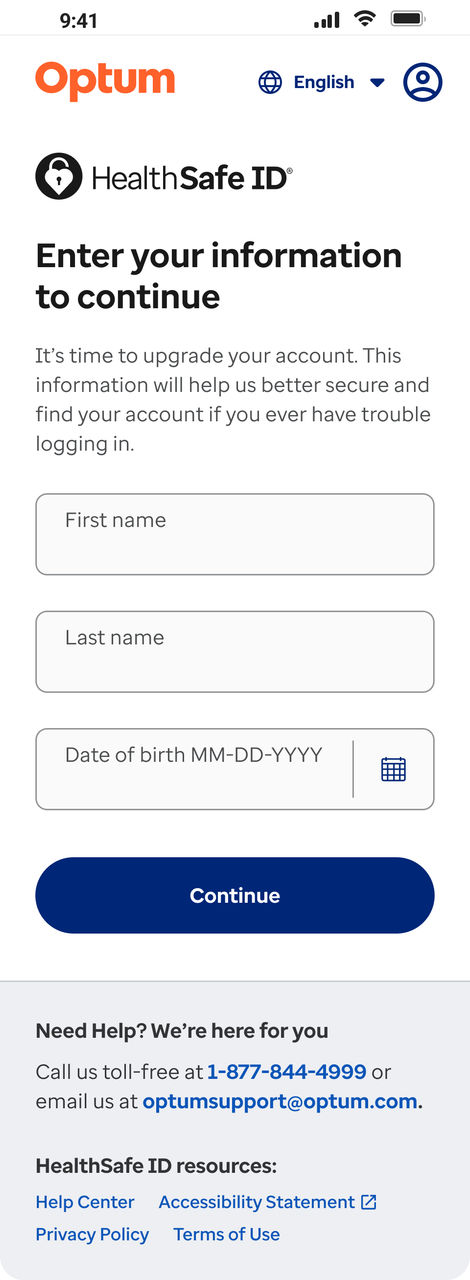
When a non-member user attempts to access member/hybrid applications, the system initiates a step-up process to collect missing information and verify identity.
- Provide missing personal information: If any required personal details are missing, the system prompts the user to enter them. The system checks COPPA eligibility when the user enters their date of birth. If the user does not meet COPPA requirements, the system displays an error message and halts registration.
- Enter identification number: To proceed, the user must enter a valid identification number. This step is mandatory for accessing member applications. Once verified, the system redirects the user to the application and completes login.
- Detect existing account: If the system finds a golden record matching the user's first name, last name, date of birth, and identification number, but linked to a different email address — it prompts the user to sign in as the existing account is recovered.
Previous:
Member registration
Next:
Account recovery
Share additional feedback to help us improve.
0/255
|
Powered by Aikyam @2025 All rights reserved

+1 866 451 2735
 +1 866 451 2735

+1 855 819 5909